

1
Enter API Key page
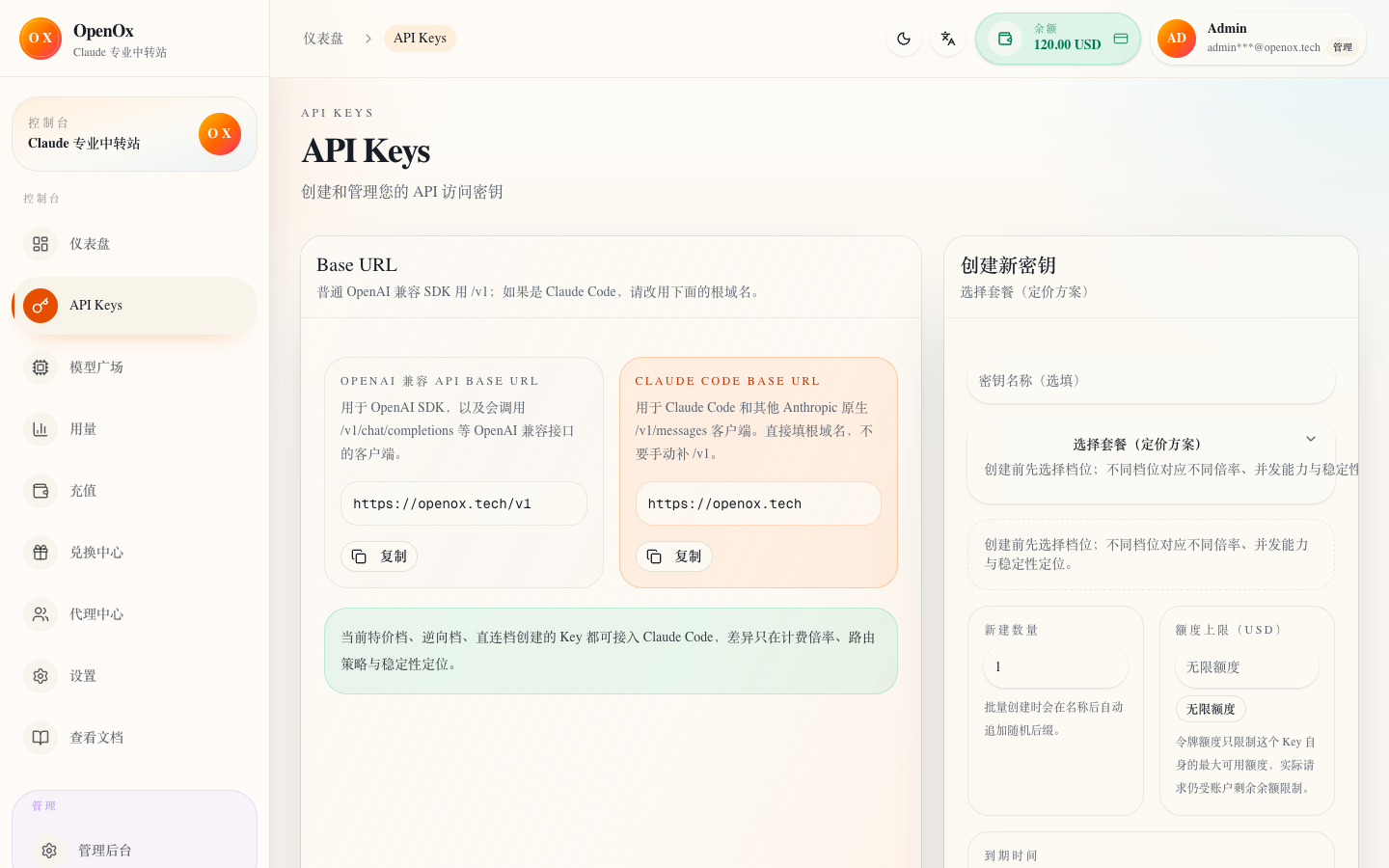
Enter API Keys from the sidebar of the console and confirm that you have come to the token list page, not the wallet page or model page.
Step 2
After the top-up is completed, the next step is to create a token. Claude calls will use the group you choose, and GPT calls are billed according to the three types of token prices: input, output, and cache reading.
Add Token
The most important things to create an API Key are: enter the correct page, understand the scope of influence of the group, and save it immediately after copying.
https://openoxai.com/dashboard/keysEnter API Keys from the sidebar of the console and confirm that you have come to the token list page, not the wallet page or model page.
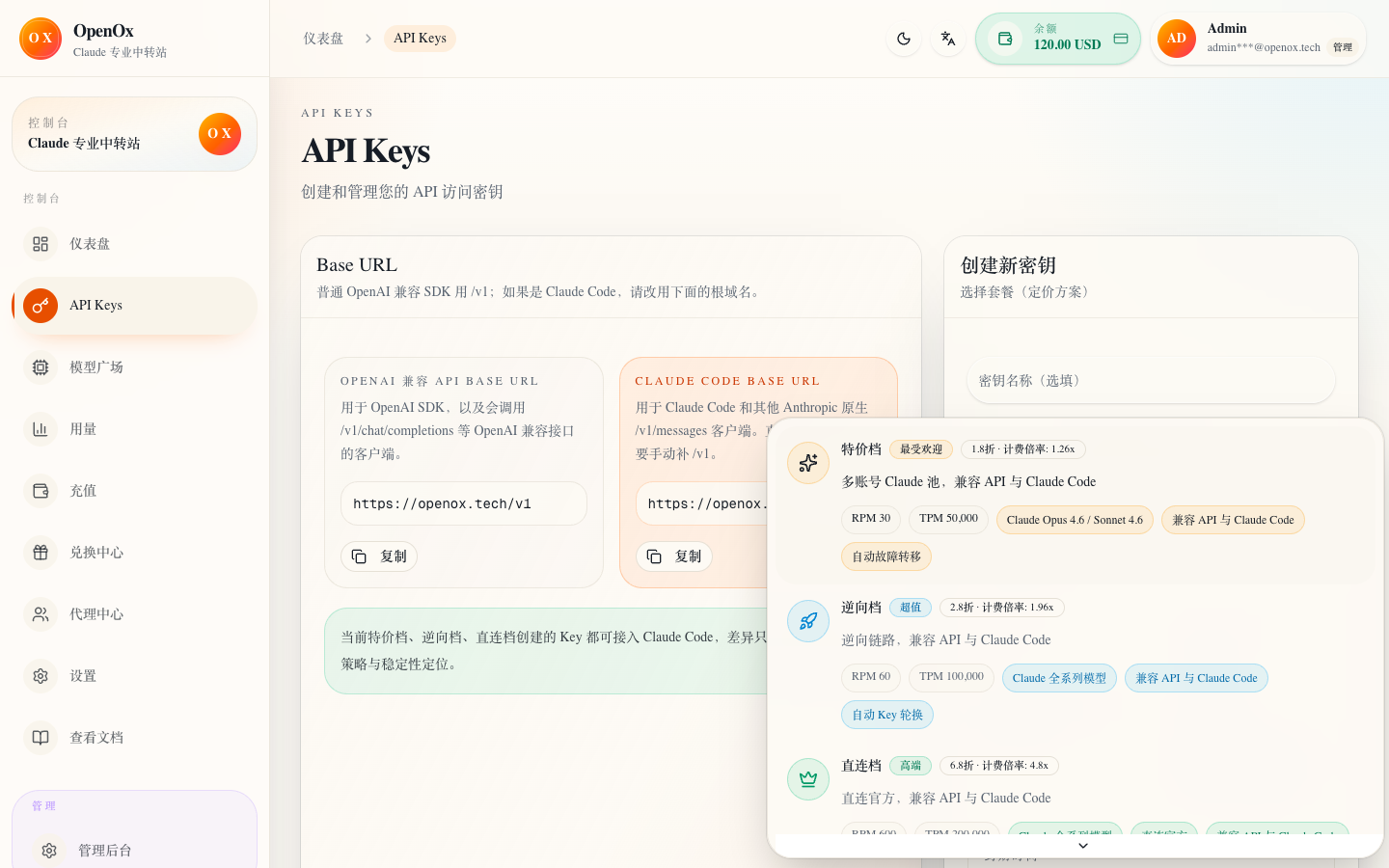
After clicking "New Token", select a group according to the product line: Claude uses special, reverse or direct; GPT uses GPT exclusive grouping, and is billed according to the input, output, and cache reading prices of the Key group and model.
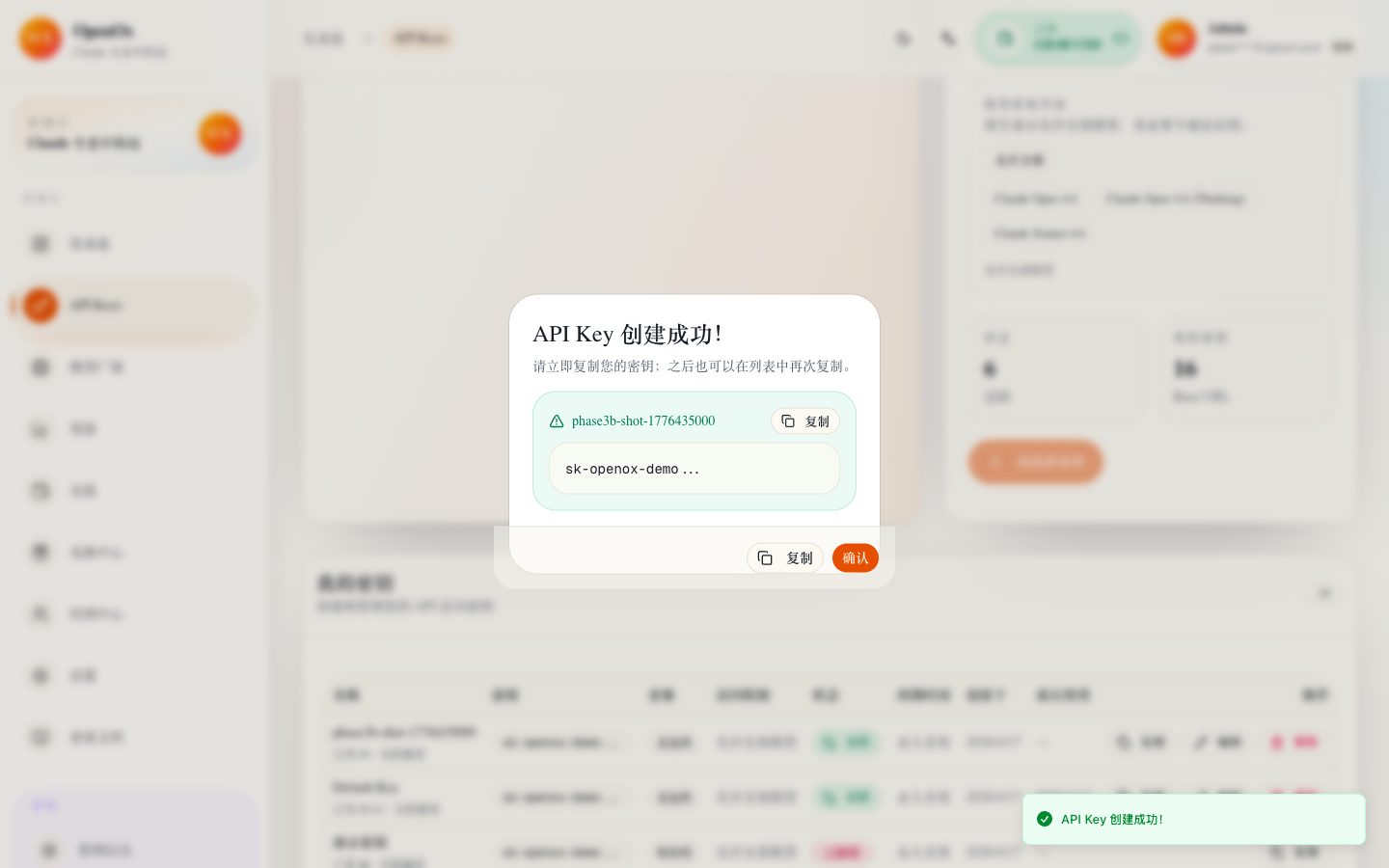
After creation is completed, copy the new token immediately. All subsequent CLI configurations use this key directly.
Note
Groups
Special, reverse, and direct are the grouping semantics of the Claude product line; the GPT product line uses GPT exclusive grouping and three types of token billing.
special
Default recommendation group. The lowest cost and suitable as a starting point for first access.
reverse
Suitable for users who are more sensitive to response speed but still want to retain cost advantages.
direct
Suitable for production workflows, long context tasks and more stringent stability requirements.
Tip
special Start; if it is Codex/GPT, just call it with the same Key, and the GPT fee will not change with Claude grouping.Note
Checklist
If the following two items are met, continue to the client page.
1. You have created a new API Key.
2. You have copied it and are ready to fill in the CLI configuration.