Codex Desktop API Integration Tutorial: Mac
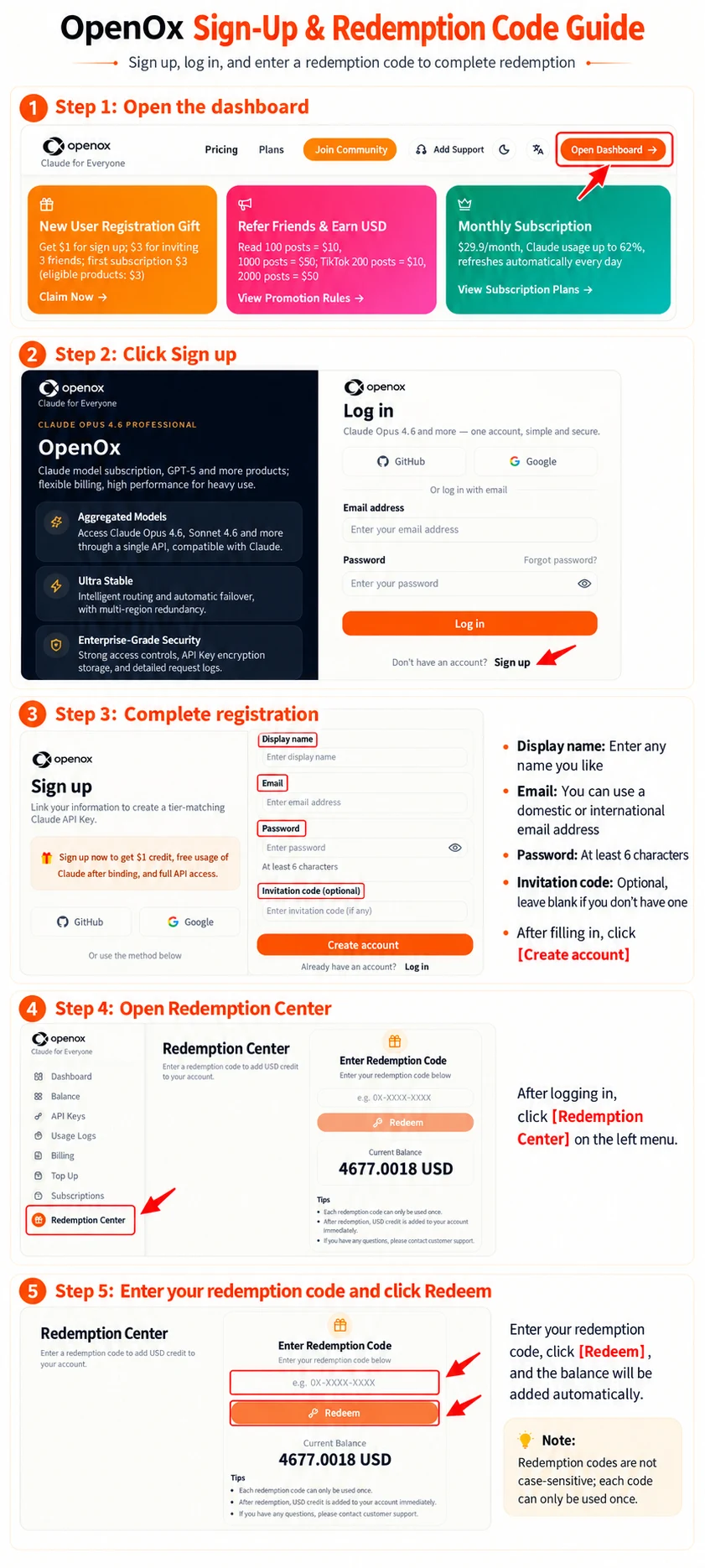
enter openoxai.com register and log in
1. Prerequisites
Before you begin, prepare the following:
1Codex desktop app installed
2An OpenOx account
3An OpenOx API key:
An OpenOx API key generally looks like:
YOUR_OPENOX_API_KEY
2. Downloading the Codex Desktop App
Steps:
Official download link:https://get.microsoft.com/installer/download/9PLM9XGG6VKS?cid=website_cta_psi
Mac installer
ChatGPT.zip(532.2 MB)
3. Open the Codex Desktop App
After installation, open the Codex desktop app.
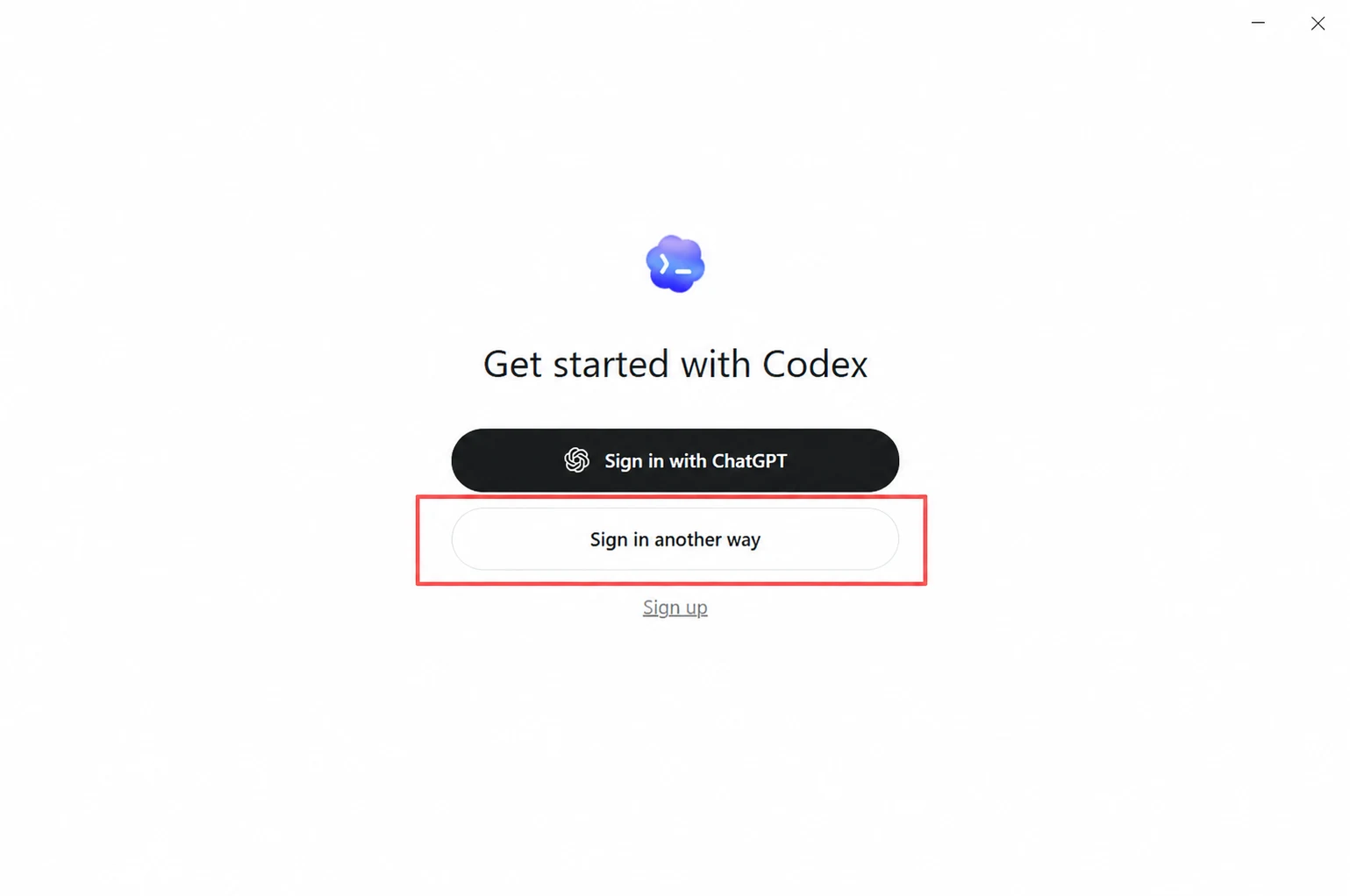
On first launch, you will usually see the login page. There are two common sign-in methods:
1Sign in with a ChatGPT account
2Sign in with an API key
Select:
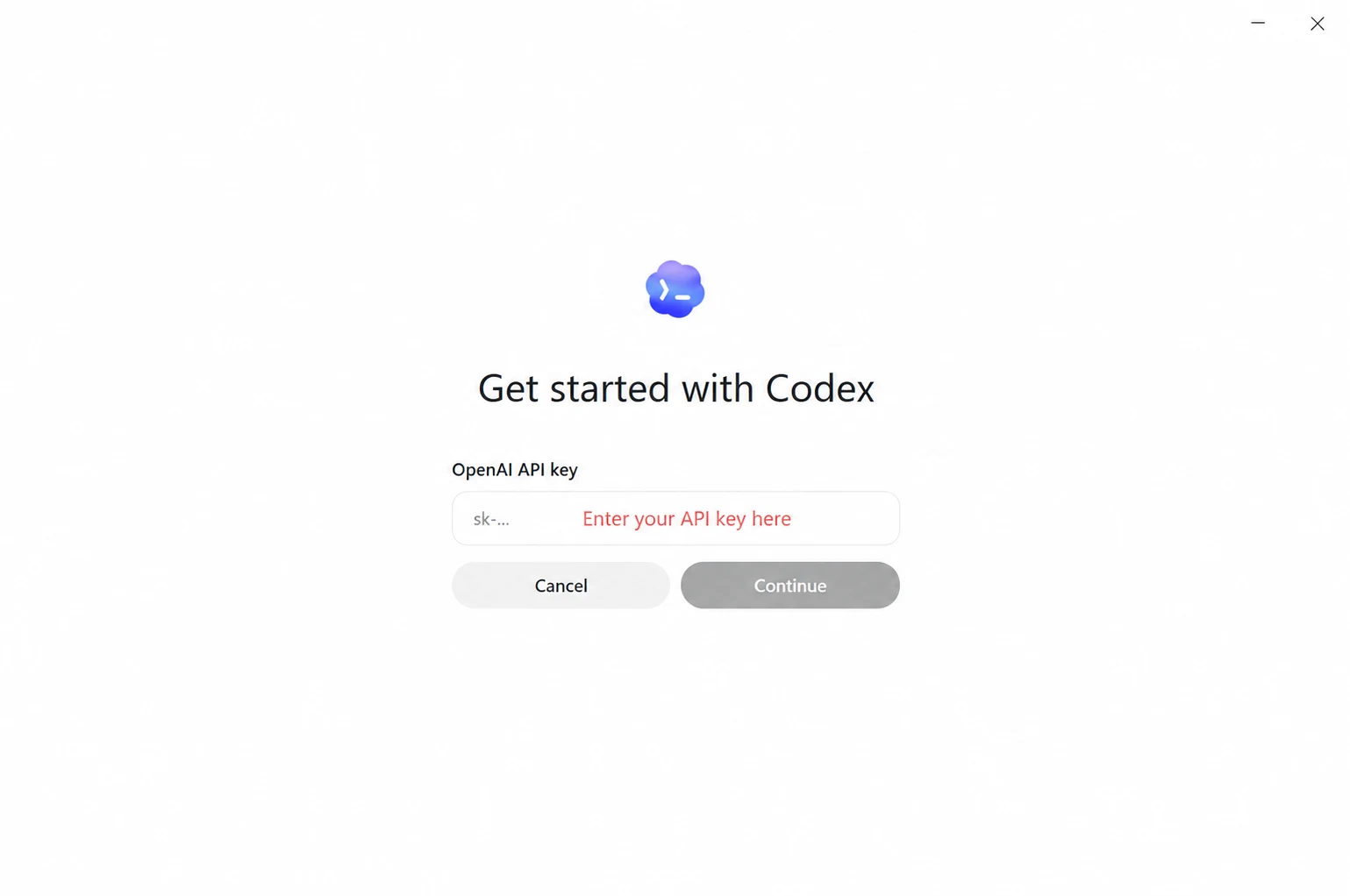
Sign in with API key
Then enter the OpenOx API key you created.
Note:
●Do not include spaces when copying the API key
●Do not copy line breaks
●If pasting causes an error, first check for spaces before or after the key
●If you previously signed in with a personal ChatGPT account, sign out first
4. If a personal account is already signed in
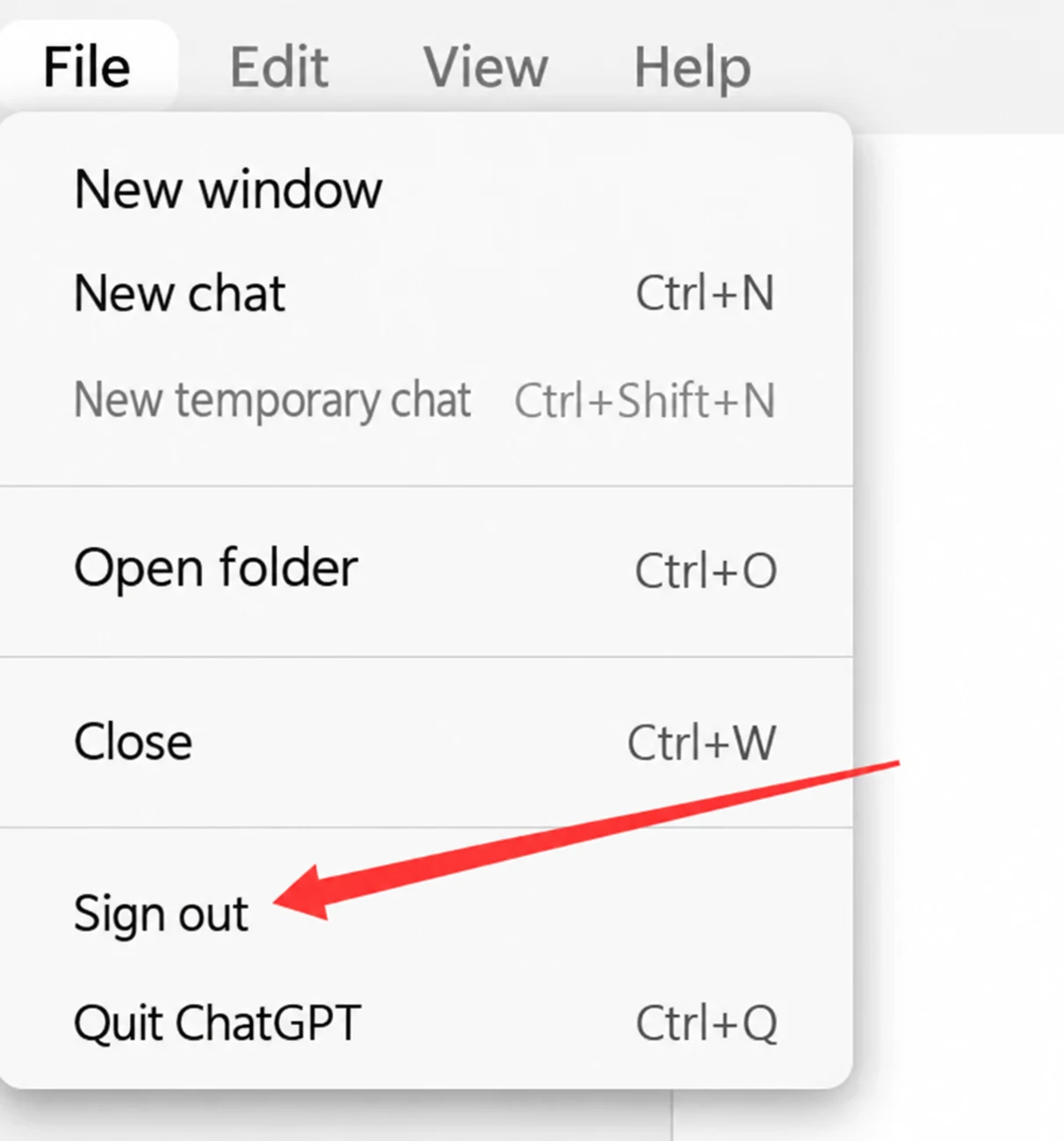
If you have already logged into a ChatGPT account on Codex, please log out first, then sign in again using an API key.
Steps:
1Open the Codex desktop app
2Click the avatar or account area in the lower-left corner
3Click:
Sign out
4Return to the sign-in page
5Select:
API Key
6Enter the OpenOx API key provided by OpenOx
If it is your first time using Codex, there is no need to sign out. Simply select Sign in with API key.
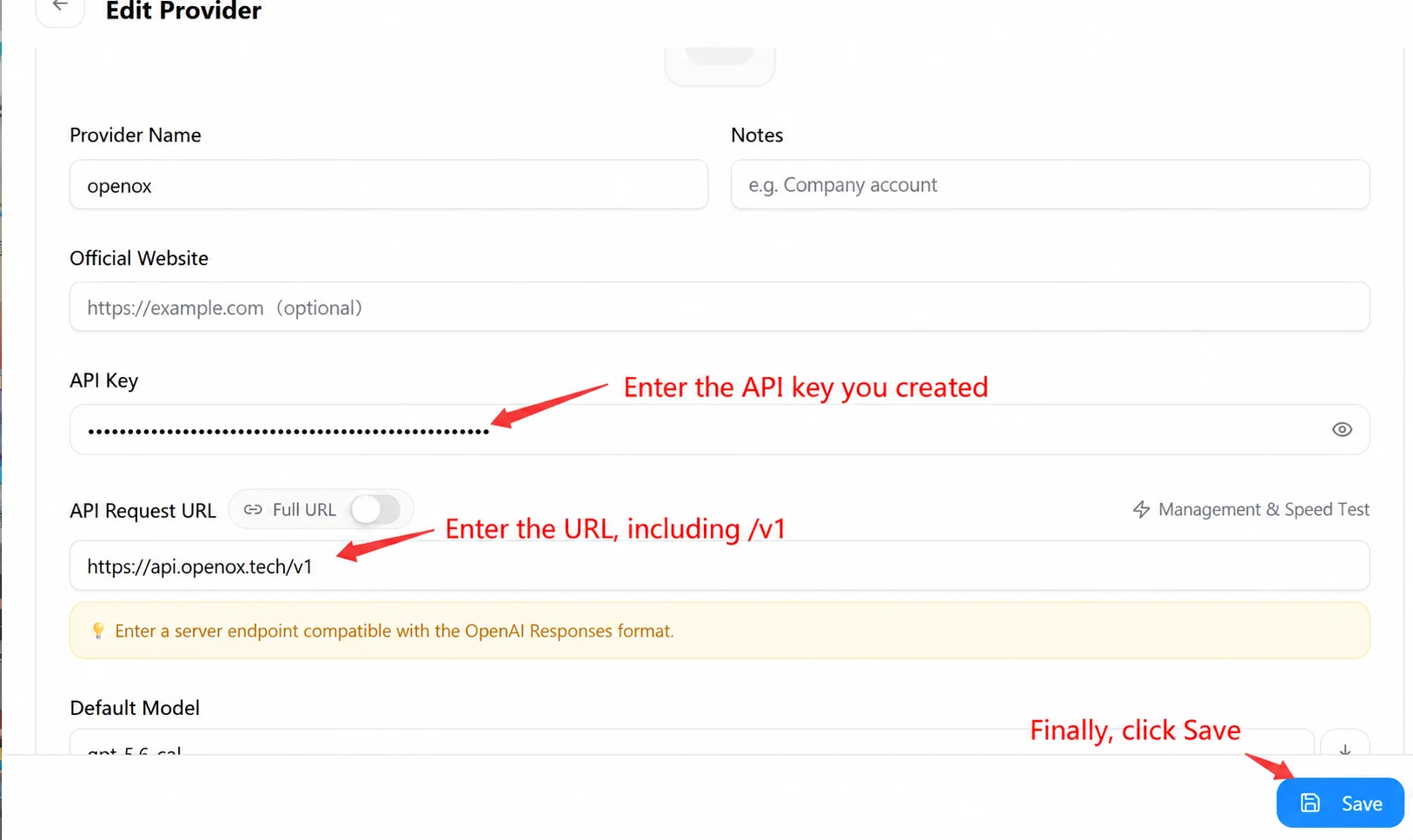
5. Configure the OpenOx API endpoint
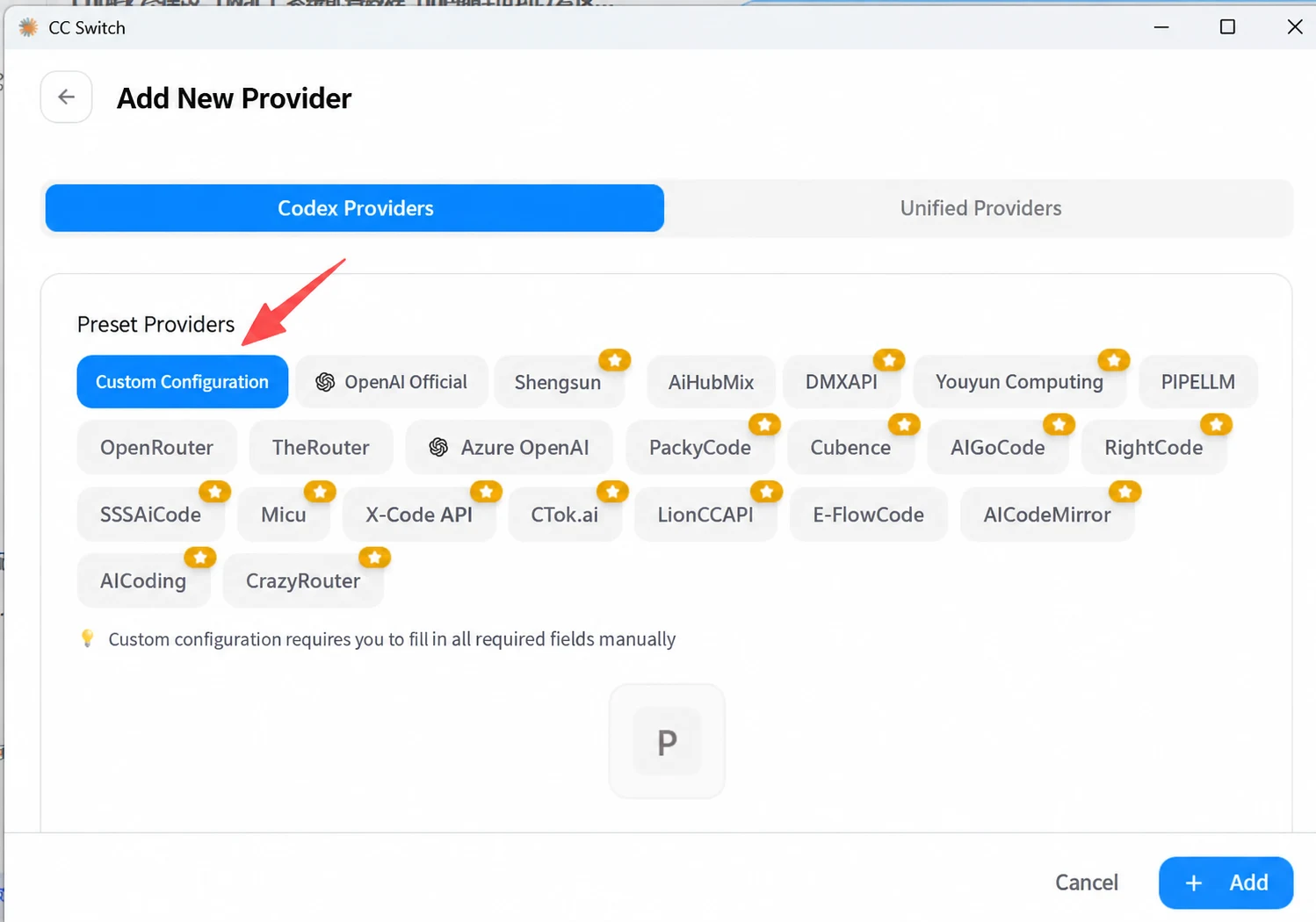
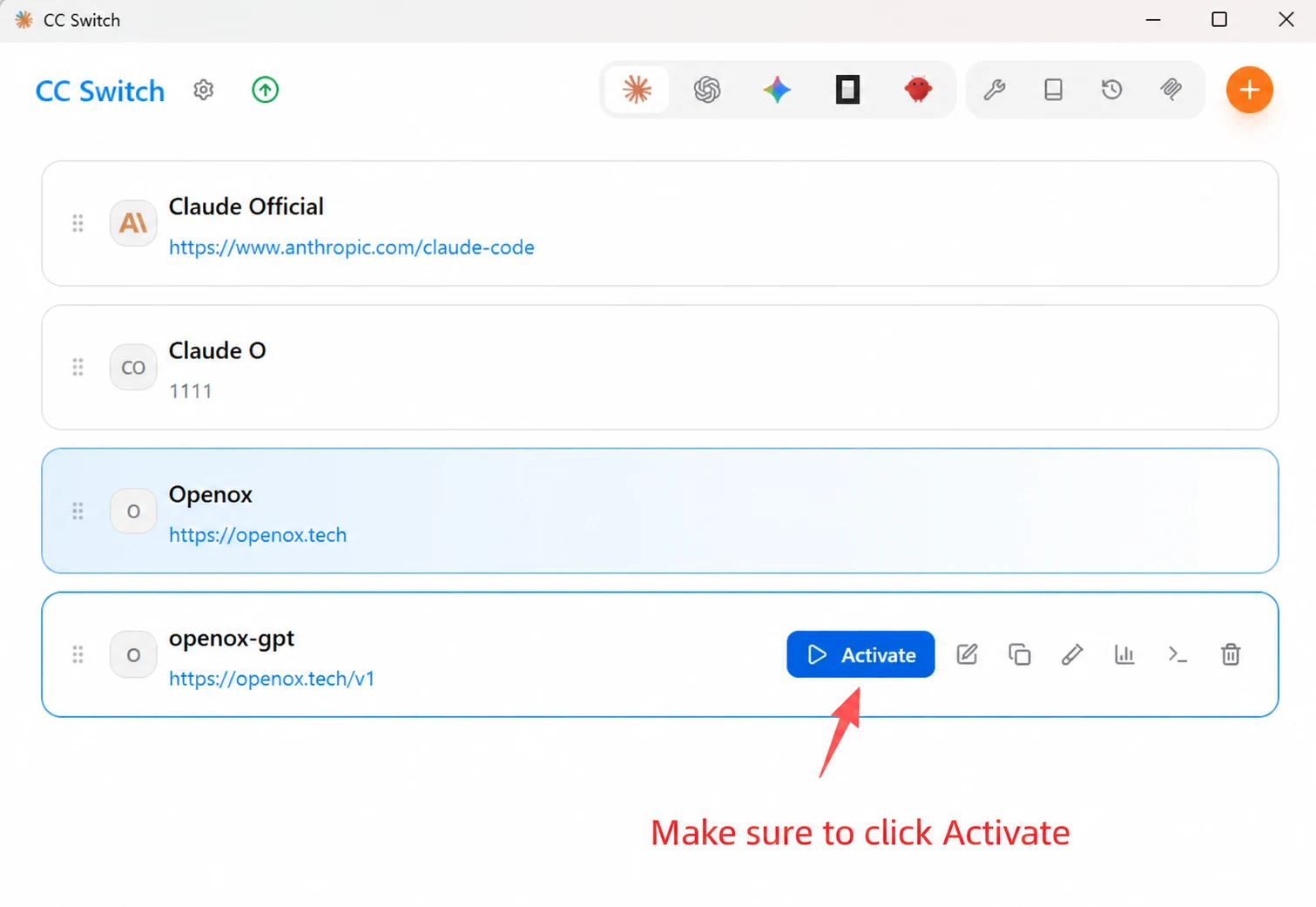
Edit the configuration file (Method 2)
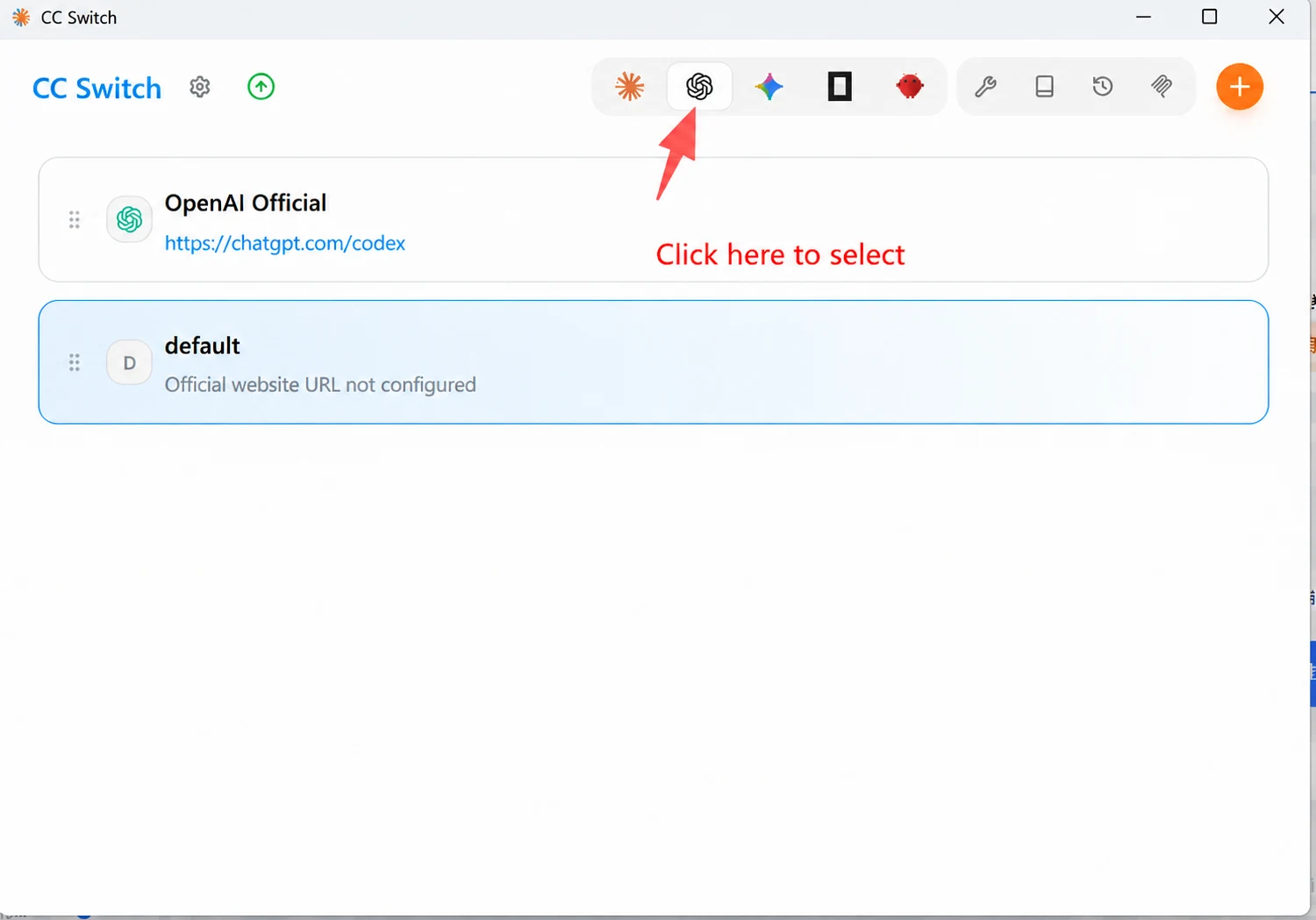
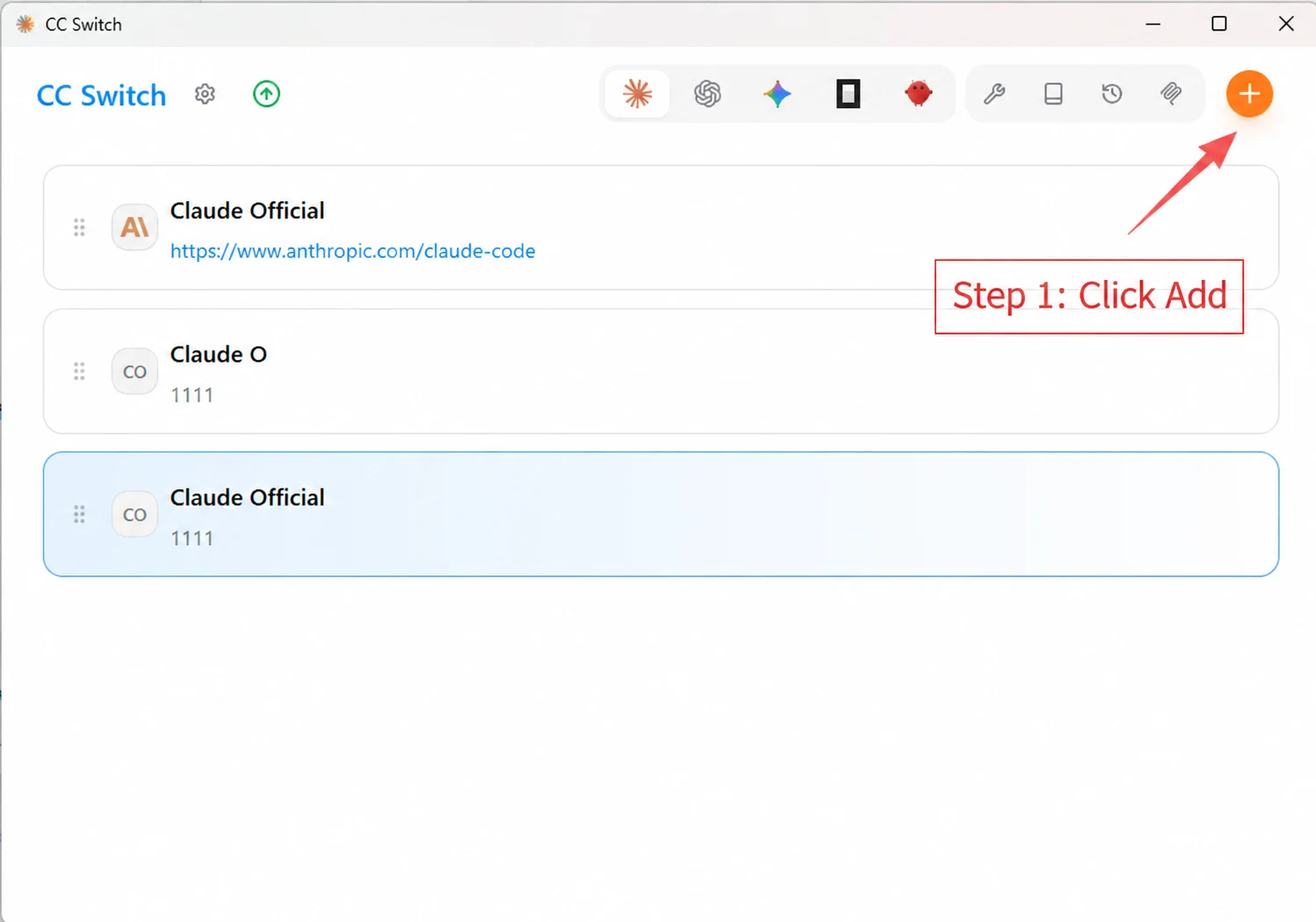
Install CC Switch
Mac installer
CC-Switch-v3.13.0-Windows (1) (1).zip
(10.6 MB)